
Patronus Desktop App
The full version of Patronus Protect is about to launch.
The Desktop App brings discovery and protection directly to the endpoint. Downloads remain paused until launch.
- 100% on-device
- Works offline & air-gapped
- GDPR by architecture
We will email you about the launch and relevant product updates. Unsubscribe at any time.
01 · Product video
Patronus Protect in action.
See how Patronus works across apps and how to configure policies with immediate effect.
02 · Editions
Monitor and Protect compared.
Both editions make AI usage visible, document it and apply policies. Protect adds local security checks, automatic blocking and redaction.
Patronus Monitor
Free
- AI inventory & shadow AI discovery
- Live visibility into AI traffic, apps, browsers, agents
- Policies for tools, providers and capabilities
- Control for agents and MCP servers
- No local detection of prompt injection or sensitive data
- No automatic blocking or redaction
Patronus Protect
Paid · first month free
Everything in Monitor, plus automatic enforcement:
- Detect prompt injection and sensitive content locally
- Automatically redact sensitive content
- Automatically block policy violations
- Stop risky requests before data leaves the device
03 · Desktop App
Downloads paused until launch
Downloads will return at launch. The waitlist reserves one free month of Patronus Protect.
04 · Installation
Up and running in three steps
Install
Open the .dmg and drag Patronus into Applications, or run the Windows installer.
Grant permissions
Approve the network extension on first launch so Patronus can see AI traffic. The app guides you through it.
Done, full visibility
The tray icon shows live AI activity on the device. Protect adds enforcement on top at launch.
Detailed setup, permissions and rollout guidance: Open the docs
05 · Patronus Protect
The full version at a glance.
Policies, AI blocker and governance run on the endpoint without an additional cloud security service.
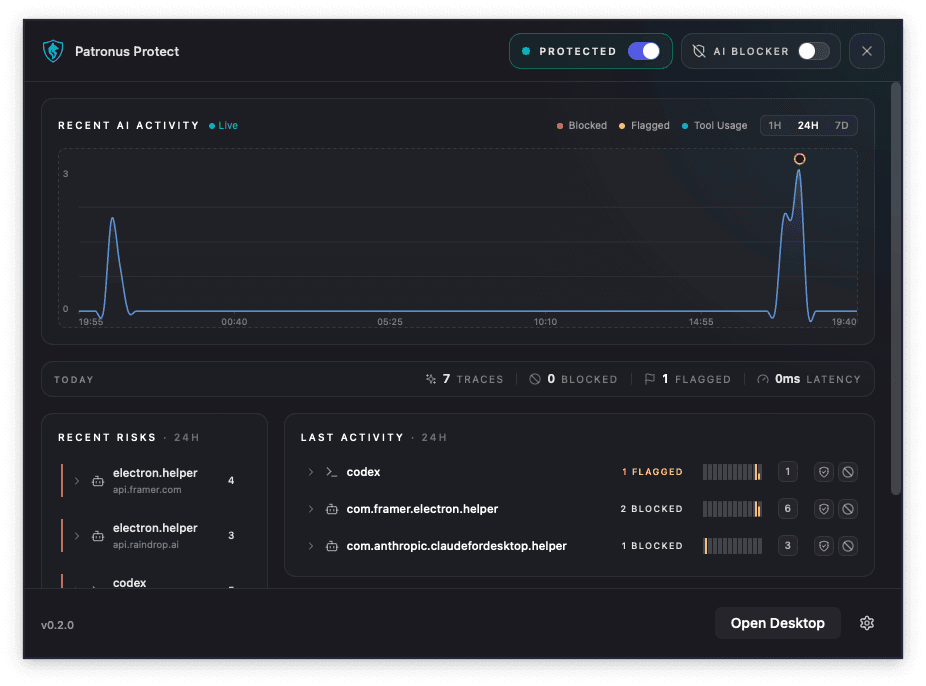
Patronus Tray
Endpoint tray status for quick visibility into active protection, monitoring state, and local controls.
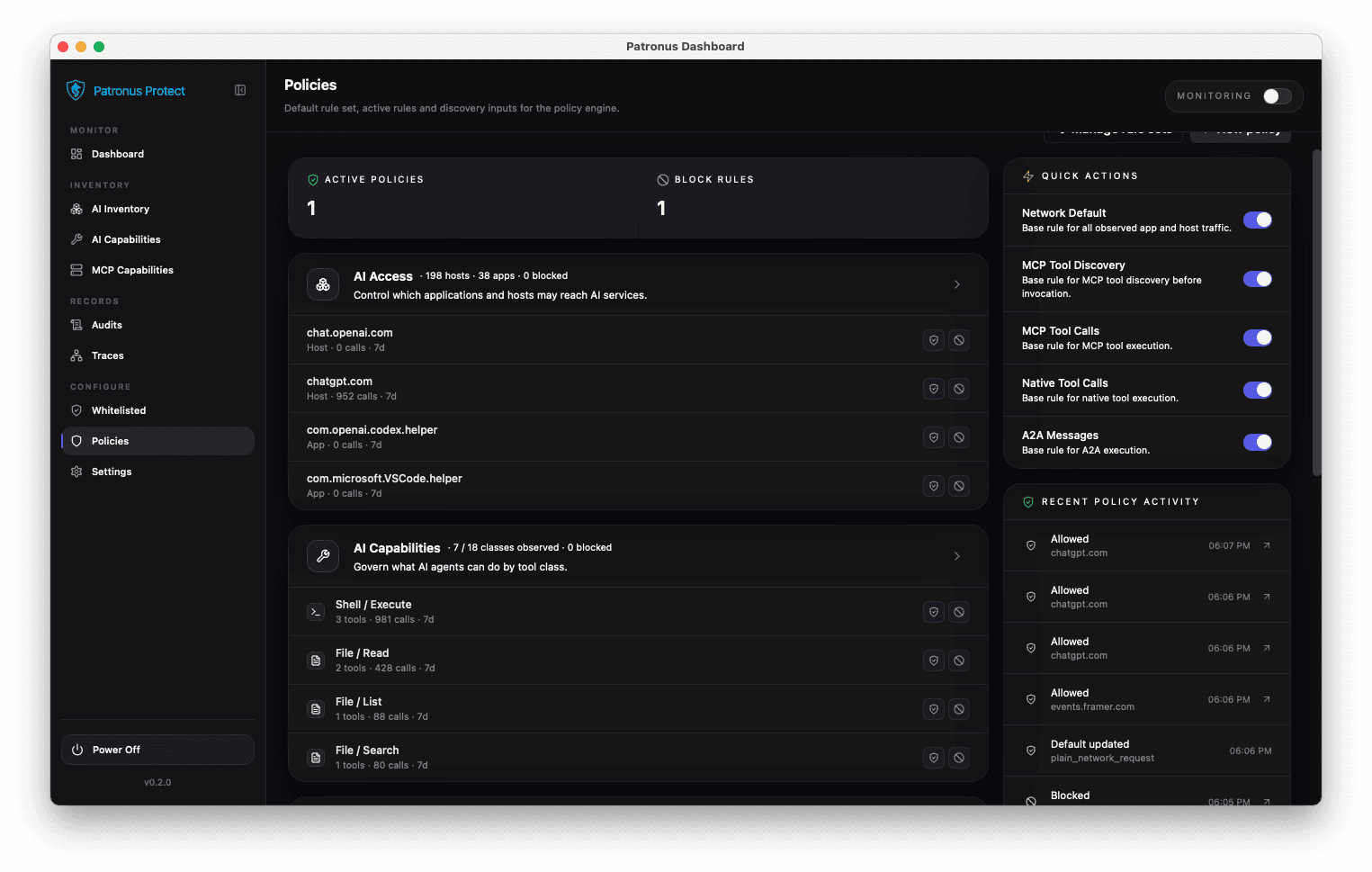
Policies
Policy controls for provider rules, capabilities, and governance decisions across supported AI tools. Protect only.
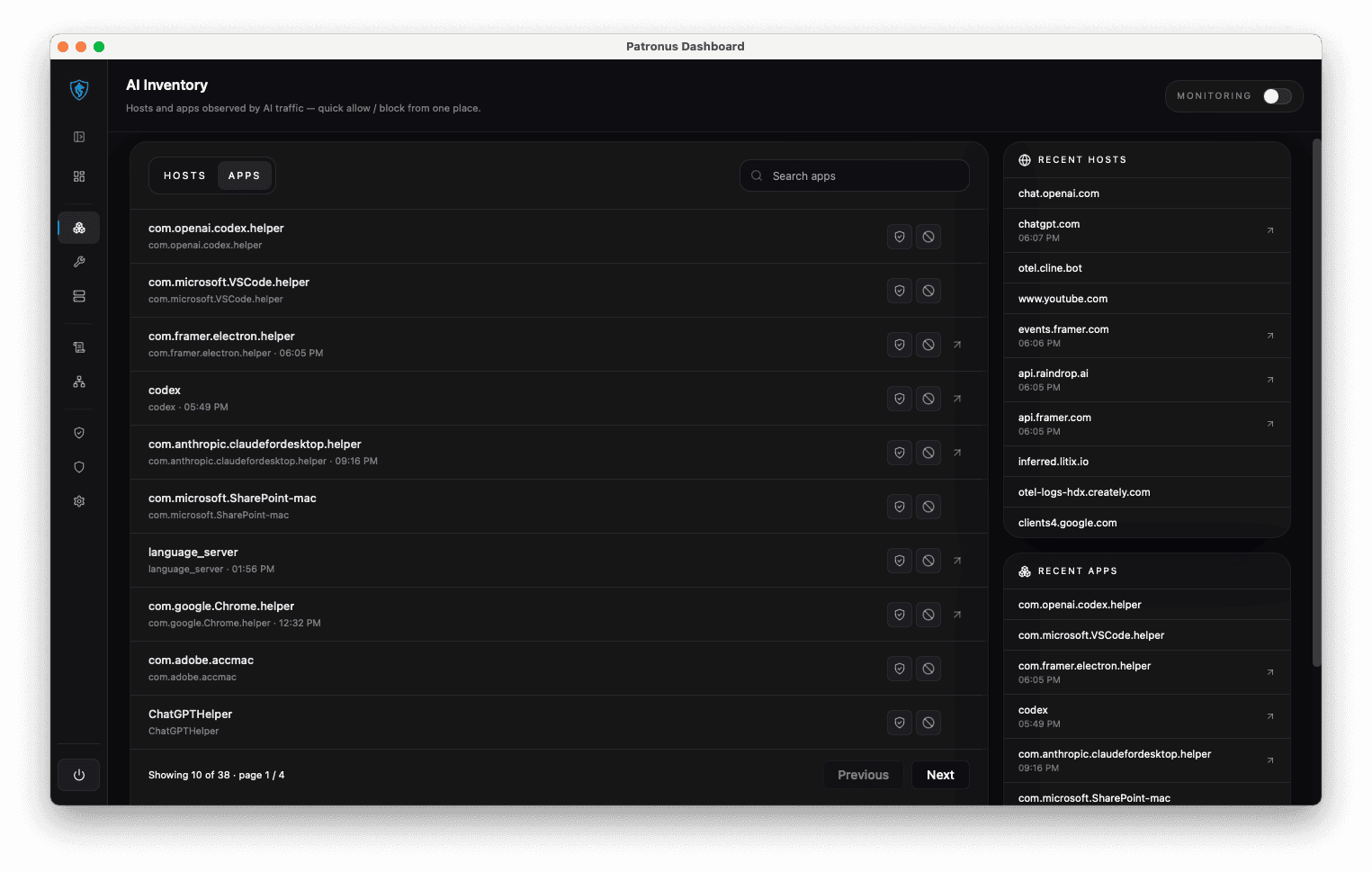
AI Inventory
AI inventory for discovered tools, provider usage, and endpoint-level activity across the organization.
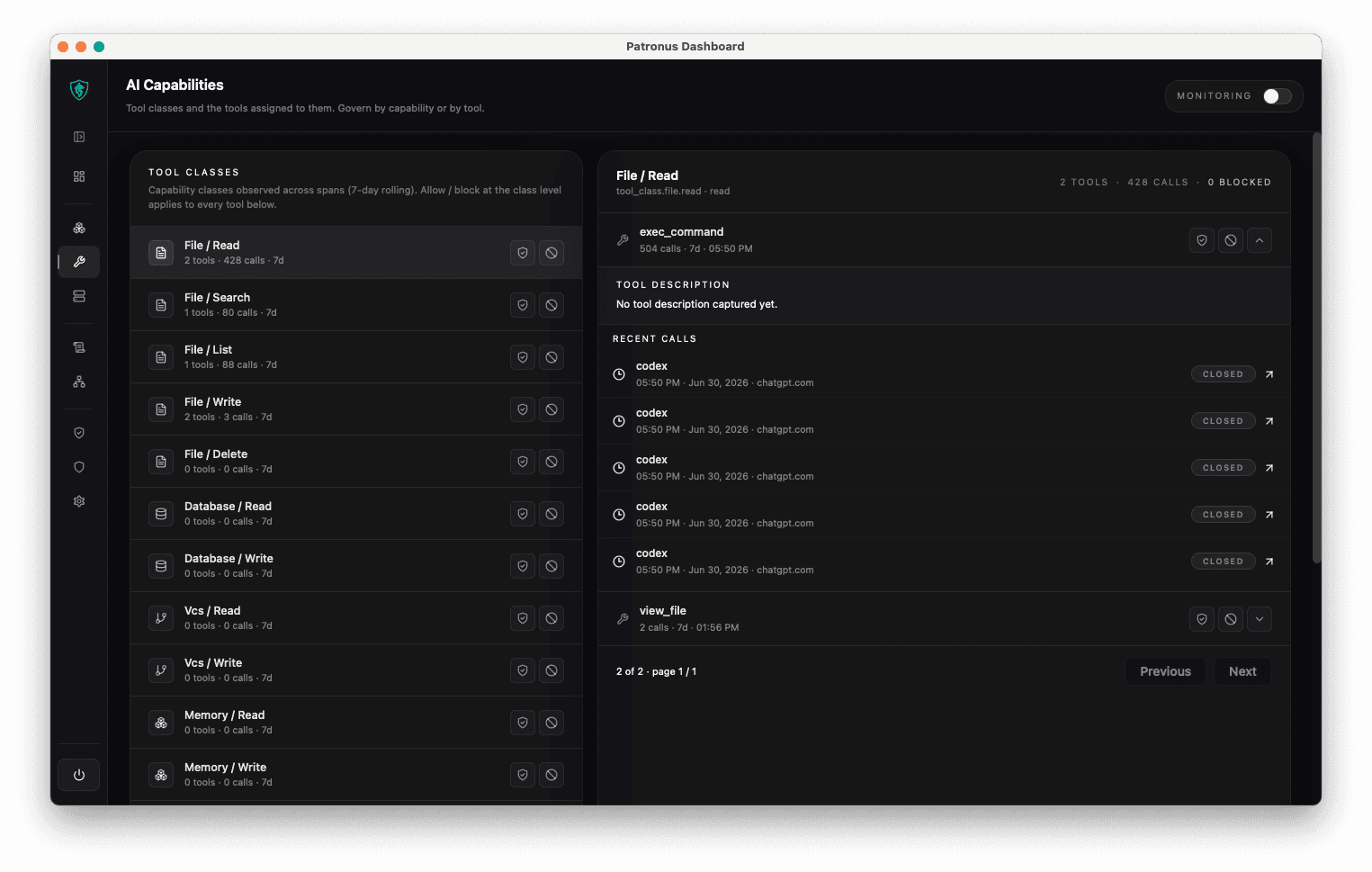
AI Capabilities
Capability mapping for understanding what AI tools can access and how each capability is categorized.