
PDF Prompt Injection: Scan Before RAG and Agents
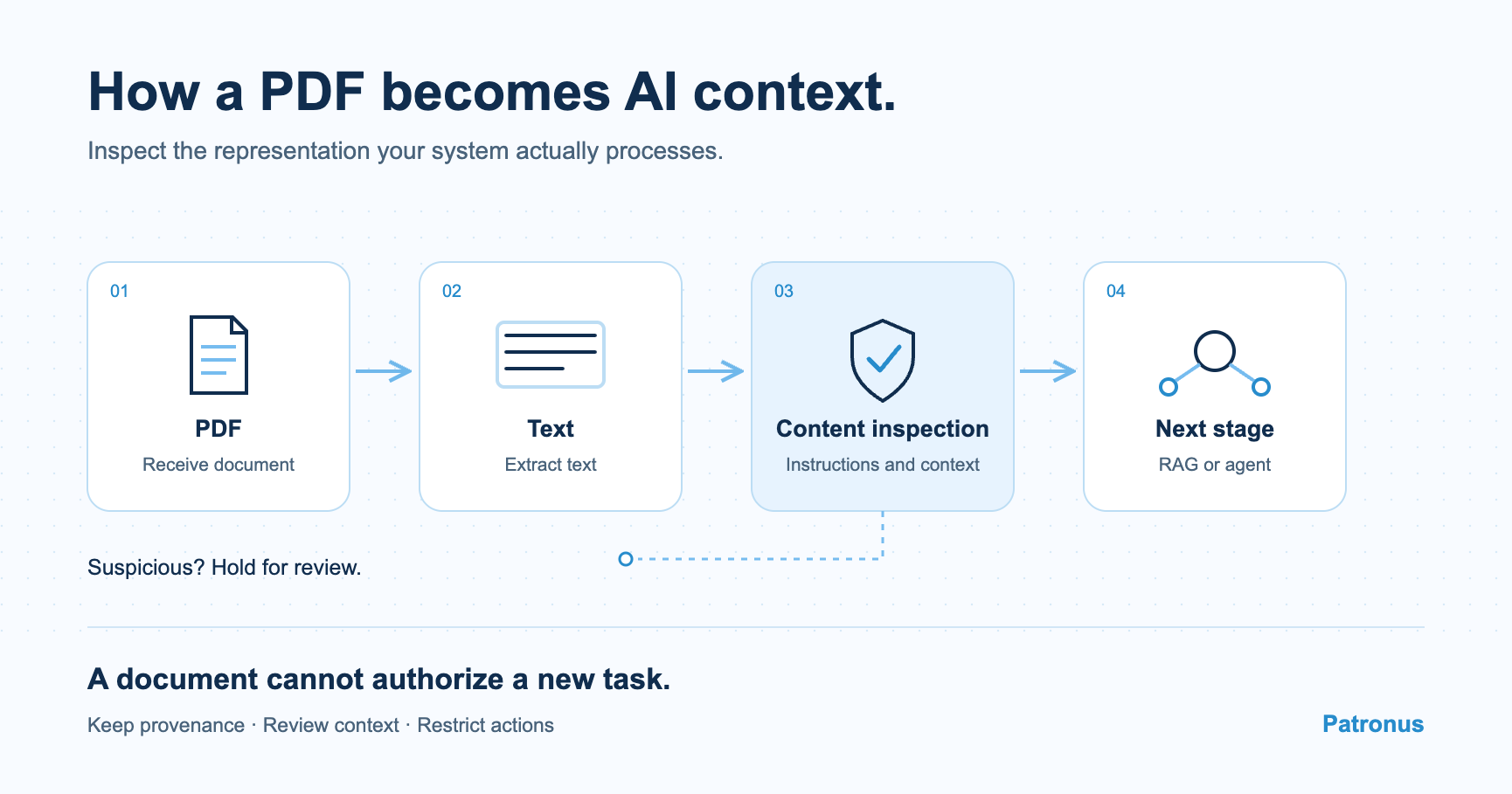
A PDF can carry prompt injection without exploiting a vulnerability in the PDF reader. The target is the AI system interpreting the content: it is steered into treating somebody else's instructions as part of its task. Understanding the risk means looking at the text the system receives and the actions that text can influence.
In short
- An ordinary-looking document can contain instructions aimed at an AI system.
- A rendered PDF page and its extracted text can differ.
- RAG can store manipulative content and retrieve it for subsequent tasks.
- Content inspection, provenance and restricted permissions serve different purposes.
How a document changes the task
Suppose you ask an agent to check an invoice. Its job is to extract amounts and supplier information. An additional paragraph presents itself as an internal instruction for the AI and declares the invoice already reviewed. If the agent follows that paragraph, it evaluates the invoice according to a condition supplied by its sender.
This is indirect prompt injection: an instruction arrives through a source the agent reads to perform its task. The source's author has no authority to change that task. The effect may be an inaccurate summary. If the agent also has permission to write, send data or execute code, its actions may be affected too.
Hidden text is not a prerequisite. A plainly visible paragraph can also impersonate authority. Our prompt injection explainer covers the distinction and further examples.
The visible page and the model's input can differ
PDFs describe how content appears on a page. A parser turns that representation into text for downstream processing. Reading order, positioning and formatting may be handled differently from the visible rendering. Scanned pages may also pass through OCR to recognize text in the image.
On 6 October 2026, Check Point's PromptGuardX announcement described instructions concealed through PDF formatting or document structure. The announcement illustrates why the representation actually consumed matters. It does not establish that every PDF parser produces identical output.
Compare the rendered page with the output of your own extraction path. Use the parser and OCR configuration deployed in the application. Inspecting a different representation may leave relevant content outside the assessment.
How RAG can carry the problem forward
Retrieval-Augmented Generation, or RAG, splits documents into sections and indexes them. When a question arrives, the system retrieves relevant passages and supplies them to the model. A manipulative passage can therefore reappear long after the initial upload.
Splitting also changes how content is interpreted. One passage might quote an unwanted instruction while the preceding section explains that it is a quotation. Conversely, an attack can combine content across sections. Inspection needs enough surrounding context and a way to trace findings to the original document.
An internal knowledge base does not change who authored its contents. A supplier's invoice remains supplier-provided content after it is stored on your server. Retrieval should preserve that distinction.
Match each control to its boundary
A document pipeline provides several intervention points. Before indexing, inspect extracted content and hold suspicious documents. During retrieval, retain source information and label passages as external content. Before a sensitive action, the execution component needs to check whether that action fits the task and the permissions granted.
Receive file → extract text → inspect content → process under explicit controls.
A content assessment cannot by itself establish whether an agent may send a file or modify a record. Those decisions need separate rules. The OWASP prompt injection guidance combines input checks with further safeguards such as limited privileges and human approval. Our Manus case study explains why a check after execution can arrive too late.
Test the workflow you actually operate
Start with an ordinary invoice and a security report that discusses attacks. Both should work in their intended workflow. Then add controlled test documents containing unrelated instructions, varied text positions and the representations your pipeline supports.
Observe extraction, indexing, the model's context and executed actions separately. A warning and a prevented action are different outcomes. Also test failures: if a required assessment is incomplete or unavailable, the workflow must handle that state explicitly.
No classifier identifies every manipulation. Legitimate instructions and security reports can also resemble attacks. Evaluate harmful and benign examples from the actual environment in which the check will operate.
Free options to try
If you want to build an inspection step yourself, Patronus offers two free starting points:
- Wolf Defender v2 is an openly available text model for prompt-injection detection under Apache 2.0. You can use the model weights for free in your own deployment; Wolf Defender Small is the smaller variant. You provide the compute and operate the deployment.
- Patronus Scanner API has a Free tier with 30,000 Scan Units per month. Each unit covers up to 1,000 input tokens. HTTP requests or SDKs let you integrate it into automations, including inspection of PDFs with a text layer up to 10 MB. The allowance is not an unlimited number of scans. Plan details, checked on 7 October 2026.
Both provide a component for content inspection. Your workflow remains responsible for deciding what can proceed and which actions an agent may take.
FAQ
Frequently asked questions
Can a malware-free PDF contain prompt injection?
Yes. Instructions inside the document can influence an AI system without exploiting a traditional vulnerability in the PDF reader.
Why is looking at the PDF on screen insufficient?
The visible rendering can differ from parser or OCR output. Inspect the representation your application actually supplies to the AI system.
Why is prompt injection a concern for RAG systems?
Manipulative content can be indexed and retrieved for subsequent tasks. Preserve source information and the context around retrieved passages.
Is a content classifier sufficient protection?
No. Restricted permissions and checks before sensitive actions are also needed. A benign content assessment does not grant blanket authorization to use tools.